Find a club
Open Home → Find a club → Create a club.
 SoccerHeros
USER GUIDE · GETTING STARTED
SoccerHeros starts with a club. Create one if you organize the group, find an existing public club, or use the six-character code sent by an administrator.
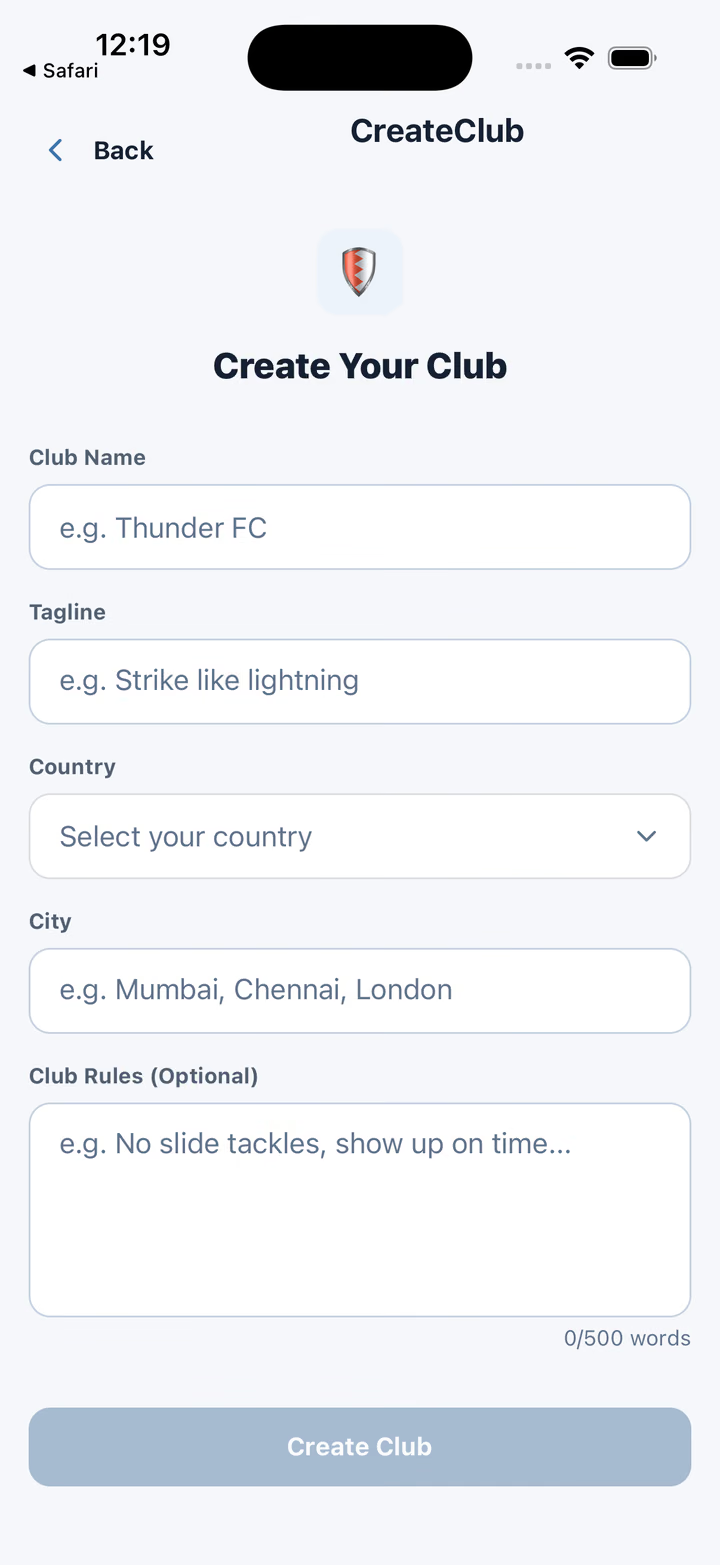
Open Home → Find a club → Create a club.
Enter the club name, location, tagline and optional rules.
Open Share Club and send the secure HTTPS invitation.
Create the fixture after members have joined.
Open the invitation link and confirm the club in SoccerHeros. If installation interrupts the link, copy the six-character code, open Clubs, choose Have an Invite Code, enter the code and confirm. Never publish a real club code on a public page.